Showing posts with label Tools. Show all posts
Showing posts with label Tools. Show all posts

မဂ္လာပါ။Php
languageကိုေလ့လာေနျကတ့ဲသူငယ္ခ်င္းမ်ားတြက္အလြန္အသုံးဝင္ မယ့္PHP language
Apkေလးကိုတင္ ေပးလိုက္ပါတယ္။ဒီေကာင္
ေလးတြက္Kaungkalayprogramကိုေက်းဇူးတင္ ပါတယ္။ဘာလို႔လဲဆိုေတာ့သူ႕ဆီကမလာတာ။
Posted via Blogaway


Android
User ေတြနဲ႕ Phone Service လုပ္သူေတြအတြက္ Root Tool
ေကာင္းေကာင္းေလးတစ္ခုတင္ေပး လိုက္ပါတယ္ဗ်ာ။ ကြန္ျပဴတာနဲ႕ခ်ိတ္ဆက္ျပီး
အသံုးျပဳႏိုင္သလိုဘဲ ဖုန္းထဲမွာထည့္သြင္းျပီး Root ေဖာက္ႏိုင္ဖို႕ APK ပါ
ႏွစ္မ်ိဳးလံုးထည့္သြင္းေပးထားတာပါ။ အမ်ိဳးအစားေပါင္း 1400နီးပါးကို Root
ေဖာက္ႏိုင္တယ္လို႕ဆို ထားပါတယ္ဗ်ာ။
အေသးစိတ္ကိုေအာက္မွာဆက္လက္ေလ့လာၾကည့္ပါေနာ္။


မဂ္လာပါ။ဖုန္းထဲမွပိတ္ထားတ့ဲဆိုဒ္ေတြကိုအလြယ္တကူေက်ာ္ခြခ်င္သူမ်ားတြက္ပါ။အသုံးျပဳပုံက
ေတာ့ပထမဆုံးEasy Ovpnဆိုတ့ဲApkကိုဖြင့္ပါ။သူ႔ဘာသာနိုင္
ငံအလိုက္IP.AderssေတြScanဖတ္ေနပါလိမ့္မယ္။ျပီးရင္
ေတာ့ကိုျကိုက္တာကိုနိွပ္လိုက္ပါ။ျပီးရင္ Connectနွိပ္လိုက္ပါ။I trust this
appဆိုျပီးေပၚလာပါလိမ့္မယ္။အမွန္ျခစ္ေပးလိုက္ပါဆာဗာကိုသူ႔ဘာသာယူေဆာင္
ေနပါလိမ့္မယ္။Connectedျဖစ္သြားရင္ ေတာ့ျကိုက္ ရာဆိုဒ္ကိုအဆင္ ေျပ ေျပ ဝင္
ေရာက္နိုင္ ပါျပီ။
Easy Ovpnအတြက္ဒီမွာေဒါင္းပါ။
Open Vpnအတြက္ဒီမွာေဒါင္းပါ
Posted via Blogaway

မဂ္လာပါ။Ping
Of Deadအ ေျကာင္းေလးကိုေတာ္ေတာ္မ်ားမ်ားသိမယ္ထင္ ပါတယ္။မသိေသးရင္
လဲေျပာျပပါ့မယ္။Ping Of Deathဆိုက ေတာ့VictimကိုPing
CommendေတြသုံးျပီးServerက်ေအာင္ တိုက္ခိုက္တာပါ။ဒါ့ျပင္
Lanအတြင္းမွာရွိတ့ဲComputerေတြကိုလဲလိုင္းအားက်ဆင္းေအာင္
တိုက္ခိုက္လို႔ရပါတယ္။ဒါေလးက ေတာ့Ping commendေတြမကြ်မ္းက်င္
ေသးတ့ဲက်ေနာ္လိုဘဲBingeinnerေတြအလြယ္တကူအသုံးျပဳလို႔ရမယ့္Creazy Ping
Toolေလးပါ။စမ္းခ်င္ သပဆိုရင္ ေတာ့ေဒါင္းျပီးစမ္းလိုက္ျက ေပါ့ေနာ္။
Posted via Blogaway

မဂ္လာပါ။Androidဖုန္းေတြကိုSpyလုပ္ခ်င္
သူမ်ားတြက္ပါ။ဒီApkေလးကိုကိုယ္Spyလုပ္ခ်င္
တ့ဲသူဆီကိုထည့္ထားလိုက္။Message,Phoneေခၚဆိုျခင္းစတာေတြကိုစပိုင္
လုပ္ေပးနိုင္ မွာပါ။

MD5
SHA1
SHA256
SHA384
SHA512
[Download]
ကဲဗ်ာ ေျပာရရင္ရွည္မယ္ အဲ့ေတာ့ ကိုယ့္ ဟာ ကိုယ္သာလုပ္ၾကည့္ ၾကေပေတာ့ဗ်ာ က်ေတာ္တို႕ ရဲ့ Backtrack ဆိုတာက ေတာ့အသဲစြဲပဲေလ ခုလာျပန္ျပီ Android တြက္တဲ့ ကဲ သာကဲၾကေပေတာ့ ဗ်ာ အမွန္တိုင္းေျပာရင္ က်ေတာ္ ကေတာ့ဘာမွ မသိဘူးဗ် ဟတ္ကင္းနဲ့ပတ္ သက္ရင္ အဲ့ေတာ့္ ဒီမွာ ဗီဒီယိုေလးတင္ထားတယ္ youtube
လိုအပ္တဲ့ဖိုင္ ေတြကေတာ့
ေဒါင္းေပေတာ့ဗ်ာ
Notice:
You will not be able to do any network monitoring or WEP cracking due to the drivers loaded on your Android device, however, if you are able to hook up an external wireless adapter capable of packet injections then in theory this will work to hack WEP.Step 1: Extract
First, extract the downloaded BT5-Gnome-Arm.tz using 7zip. Then, go inside the extracted folder and extract the bt5.img.gz file using 7zip.
Step 2: On your Device
On your device, make a folder called BT5 in the root of your sdcard and transfer all the contents from the zip you extracted to there.
Step 3: Install Busy
Open the Busybox app you downloaded and hit install. It will install busybox for you.

Step 4: Booting up Backtrack
Open up the terminal emulator app and type in the follow. (Note, after every line hit enter, just as you would on windows command prompt).- su
- cd /sdcard/BT5
- sh bootbt
- vncpasswd
- (make up any password)
Then that's it!
Step 5: Viewing the Desktop
Now open up the android vnc app you downloaded. For the nickname field you can type whatever you want. Password is the password that you created. For the port type 5901, but if you have problems connecting increase it to 5902 or decrease it to 5900. And for the color format, you can change it to 24 Bit, although it's completely up to you.

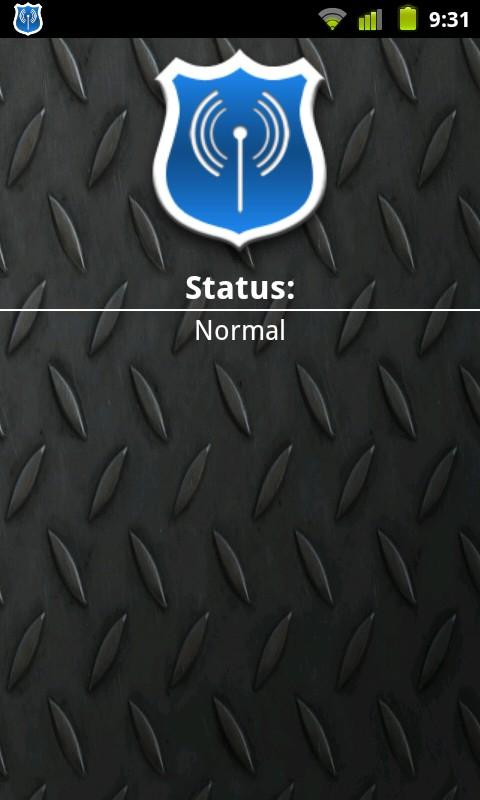
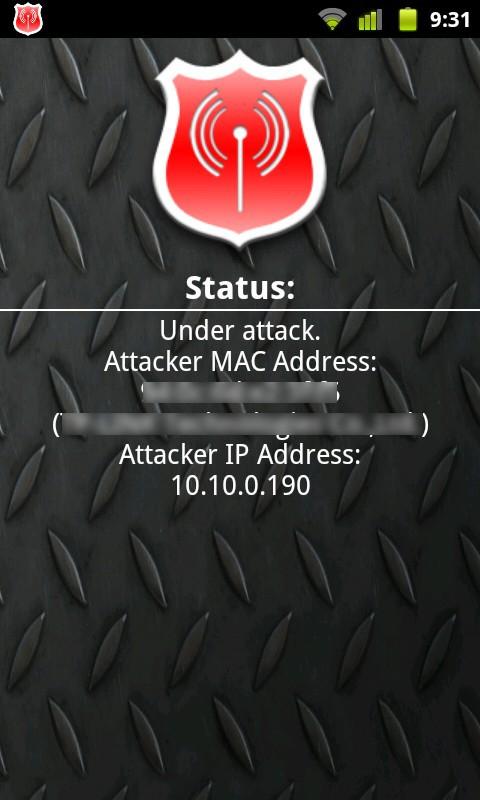
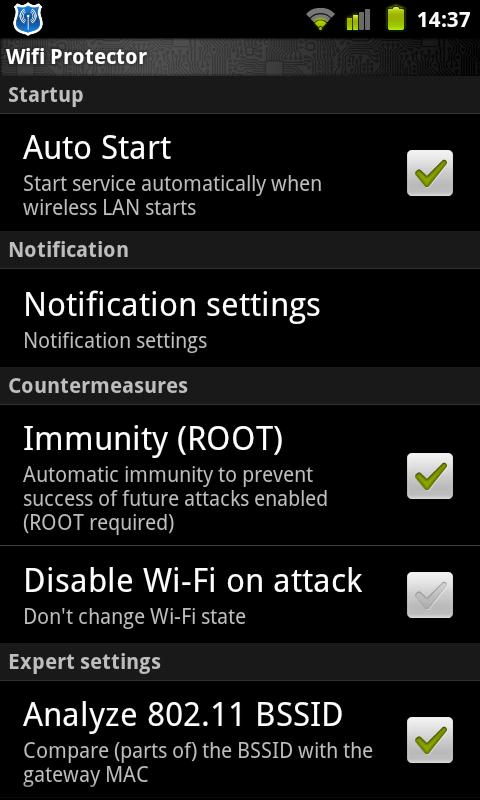
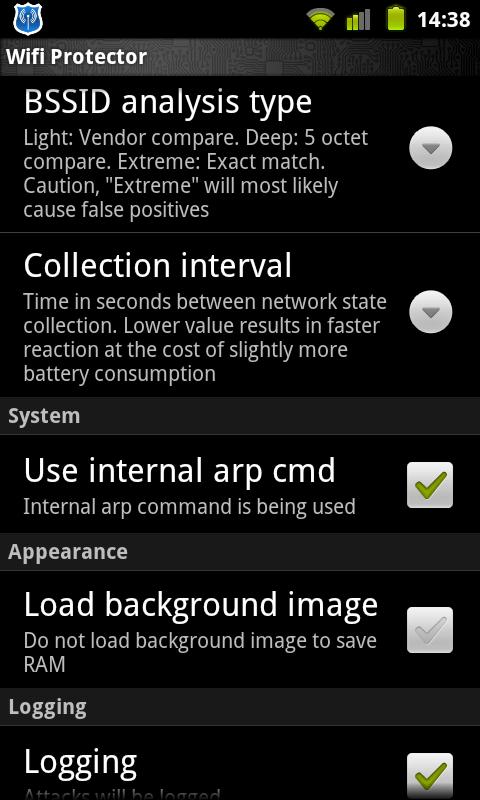
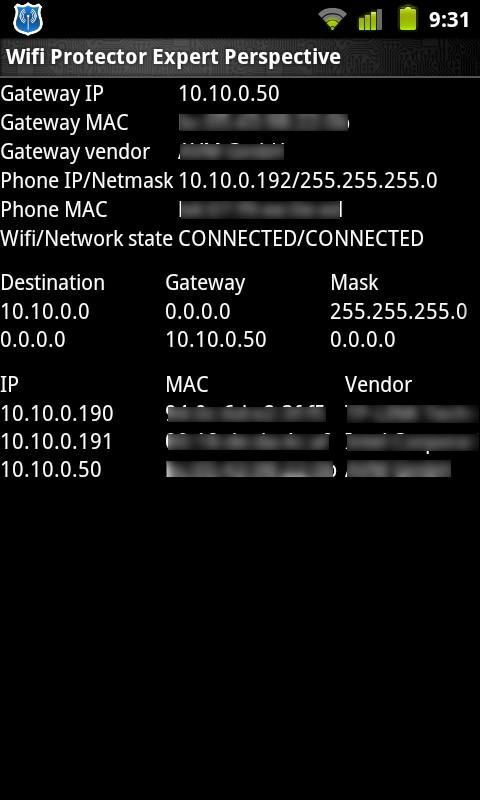
ကၽြန္ေတာ္ဟိုတေလာေလးက Wifi ေတြကိုျဖတ္ေတာက္ေပးတဲ့ Wifi Killer
ေလးတင္ေပးခဲ့ပါတယ္။ အခု လည္း မိမိရထားတဲ့ Wifi လိုင္းေတြကို
မျဖတ္ေတာက္ႏိုင္ေအာင္ ကာကြယ္ေပးႏိုင္တဲ့ Wifi Protector ဆိုတဲ့ Application
ေလးကို ထပ္တင္ေပးလိုက္ပါတယ္ဗ်ာ။ အေသးစိတ္ကိုေတာ့ေအာက္မွာေရးေပးထားပါတယ္။
ဗ်ာ။ ဆက္လက္ေလ့လာႏိုင္ပါတယ္။ Android OS 2.1
ႏွင့္အထက္ဖုန္းမ်ားမွာအသံုးျပဳႏိုင္မွာပါ။
Features
- No configuration required, works off the shelf for novices
- Experts can change many settings to adapt the app to their needs
- Undetectable by the bad guy
- 100% silent and passive inside the network. Generates no noise
- Highly customizable notifications
- Plays ringtone on attack (optional)
- Vibrates in a given pattern on attack (optional)
- Easy to use one-click-interface as well as detailed network view for experts
- "Immunity" protects you without disabling Wi-Fi (root required)
- Can also disable Wi-Fi if you don't have root access to your phone
- Logging of all spoofing attempts with details about the network and the attacker
- Works in complex wireless LANs, like vWLAN and WDS (please see FAQ)
- Detects networks already under attack
- Automatic countermeasures
- Uses very few resources
- Uses no resources if Wi-Fi is disabled
- Nearly zero battery consumption
- Requires very few permissions. Requests only absolutely necessary permissions
For questions, suggestions, feature requests, feel free to visit the forum or send an e-mail to the address below.
** Step-1.ေအာက္က Download Button ကိုႏွိပ္လိုက္ပါ
** Step-2. "5sec". ေလာက္ေစာင္႕ေပးပါ။
** Step-3. " << SKIP AD >> ".ကိုႏွိပ္ေပးပါ။
** Step-4. Download Link က်လာပါလိမ္႕မယ္။
** အဆင္ေျပပါေစဗ်ာ။
Download

Network Spoofer(Change websites on a Wifi net ဆုိတဲ့ ဟာေလးတင္ေပး လိုက္တယ္ဗ်ာ၊
Android Hacking Tools တစ္ခုပါပဲ ။ ကဲဗ်ာ ရွည္ရွည္ေ၀းေ၀း မေျပာေတာ့ဘူး ဗ်ာ ေဒါင္းေပေတာ့
DOWNLOAD - ံ့Here